Led the development of a mobile ledger application that enables small businesses to quickly record payments and track customer dues/advances, thereby eliminating the need for messy notebooks and minimizing the likelihood of follow-up errors.
Duration: One month
Position: Project leader (oversaw the entire delivery process)
Individual - two
One designer and one manager (myself)
Developed: UX strategy, UX/UI design, prototyping, and validation

Ownership & Key Decisions
Owned the entire delivery process, including the establishment of flows, information hierarchy, UI patterns, and interaction rules for ledger updates.
The decisions I made:
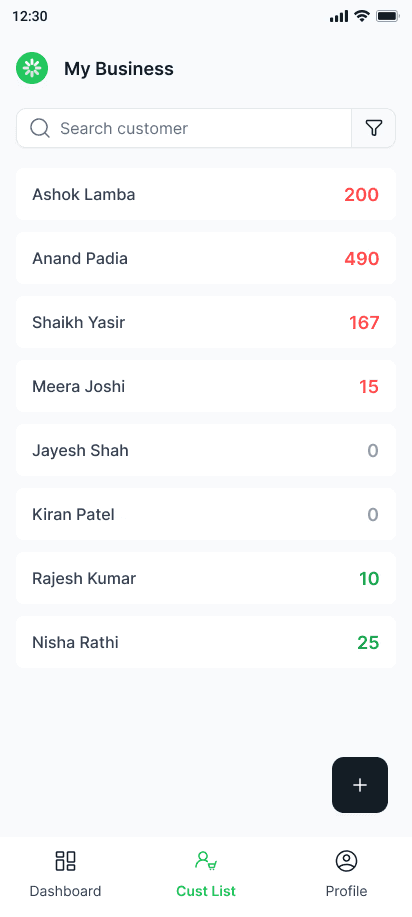
The primary workspace is the customer list, which provides the quickest access to daily tasks.
The reduction of reading effort and errors is achieved through the use of color-coded balances (Due vs Advance).
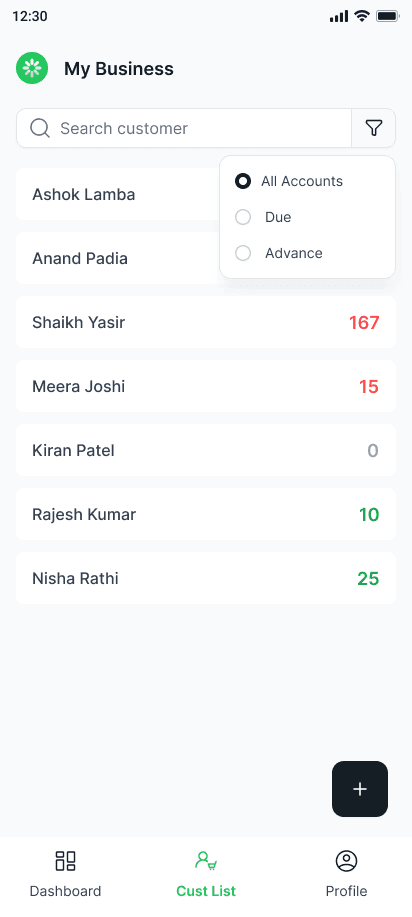
Filter: All / Due / Advance → Facilitates workflows that prioritize collections
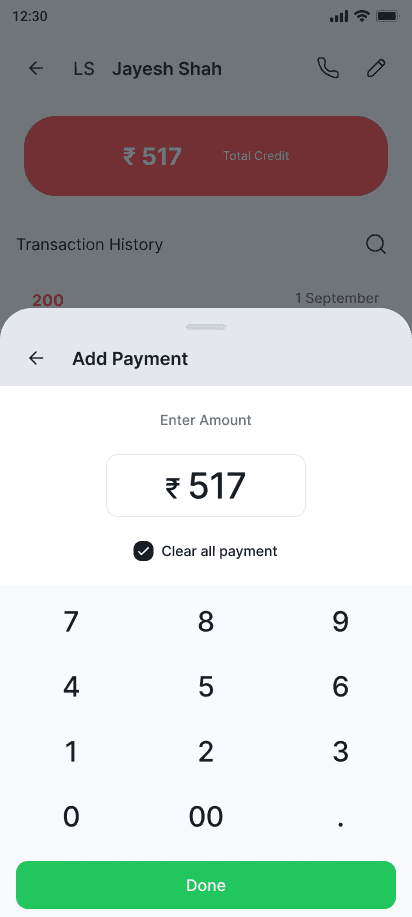
Bottom-sheet payment entry expedites counter-side updates without sacrificing context.
The "Clear all payment" shortcut is designed to prevent manual math errors.
Problem

Credit management is frequently conducted by small businesses via WhatsApp or paper, which results in:
No clear view of who owes what due to missed collections
Balance errors (forgotten entries, manual updates)
Counter-side updates are slow (the process of recording payments is too time-consuming).
Objective: Facilitate the daily use of credit tracking in a manner that is both efficient and dependable.
Constrains

Time constraints, reduced staffing, and an increase in the number of customers in the store
Merchants necessitate actions that require only two to three taps, as they have limited time and attention.
A high level of trust is necessary for money-related user interfaces to be perceived as error-free and transparent.
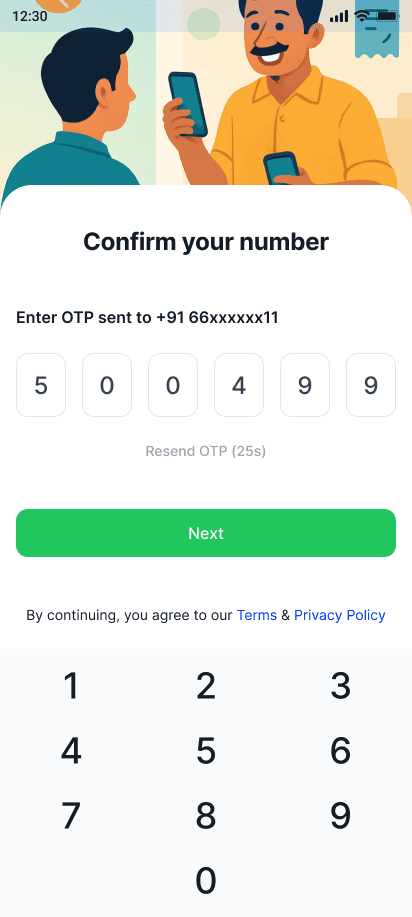
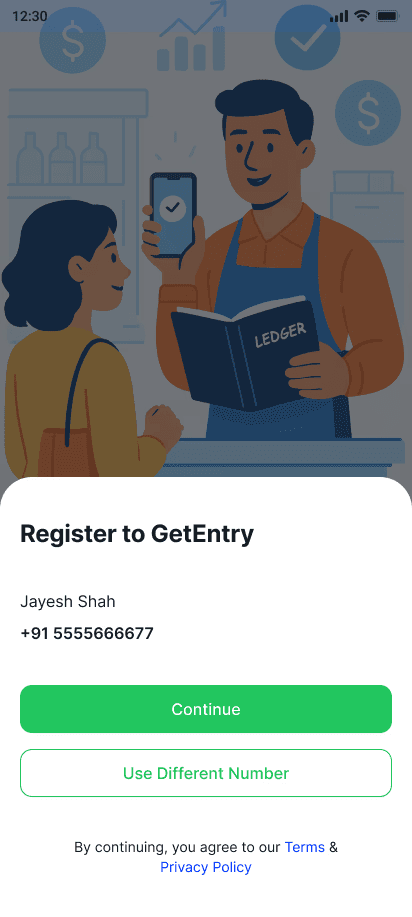
Phone-first onboarding: minimal friction, quick signup via OTP
Core screens must be scannable and fast due to their frequent use.
Mixed account states: clearly distinguish between due, advance, and zero.
Approach
Built the experience around three daily merchant jobs:
Commence immediately.
Minimize signup drop-off by utilizing phone and OTP onboarding.Instantly determine the status of your finances
At a glance, the balances are displayed in the customer list:
The system displays the balances as Advance (green) and Due (red).
Search + filters: All/Due/Advance
Modify payments effortlessly
The bottom sheet for "Add Payment" is as follows:
Immediate entry of the sum
The option to settle all outstanding dues is available.
Minimal steps are required to confirm and save.

Validation
Remote prototype usability testing: n=16
All over findings
~85–90% successfully completed “find customer → add payment → save”
Median time to log a payment: <40 seconds
~80–90% correctly understood Due vs Advance at first glance
Deliverables